


ABC Games: Tracing & phonics
4.417.00 Reviews
App Specs
- Version
- 3.1
- Updated On
- License
- Free
- Downloads
- 5,000,000+
- Developer
- Piggy Panda Inc
- Categories
- Educational
- Platform
- Android
Screenshots
 Analysis by AppCompare
When a young child is learning letters, the tricky part is often turning recognition into an action they can repeat: seeing a letter, hearing its sound, and trying to form it. That is the learning loop I would focus on with ABC Games: Tracing & Phonics. It is an educational game from Piggy Panda Inc for toddlers, preschoolers, and kindergarten-age children, and its tracing-and-sound approach gives early learners something active to do rather than asking them only to watch or listen.
Why tracing is the central activity
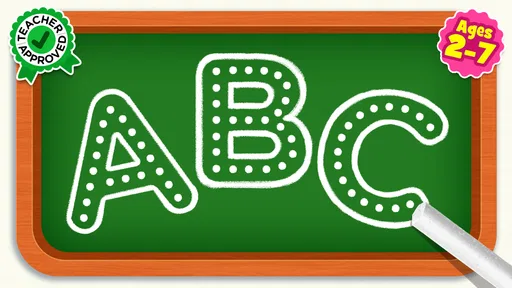
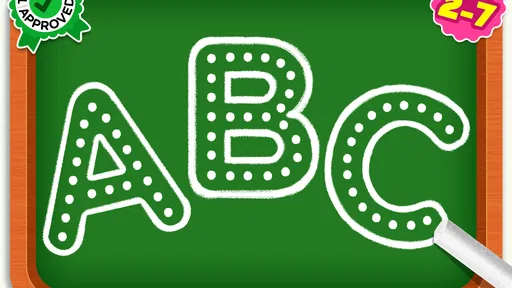
Tracing makes the alphabet practice physical, even when it happens on a screen. A child follows a letter shape with a finger, which can help connect its appearance with the movement needed to form it. The phonics element adds a sound association, so the activity is not limited to naming a symbol. In my view, that combination is the most useful idea behind the game: it gives a beginner more than one way to engage with each letter.
This can suit children who lose interest when practice feels like a worksheet, but it is not a replacement for handling a pencil or drawing on paper. A fingertip on glass offers a different kind of control from a pencil, and children still benefit from varied practice. I would treat the game as a short, approachable complement to other early literacy activities, not as a complete handwriting or reading course.
How I would use it in a real routine
The practical value of tracing depends on how an adult frames the session. I would sit nearby at first, let the child attempt a letter, and ask them to say the sound they hear or recognize. If they make a mistake, I would keep the correction light: invite another try instead of turning the moment into a test. That keeps the screen activity focused on curiosity and practice rather than performance.
A realistic use case is a few minutes after breakfast while a parent is getting ready for the day. The child can focus on one short activity, then move on rather than staying with the device for an open-ended stretch. Another useful moment might be a quiet wait in a place where paper and crayons are inconvenient. In either case, I would decide in advance when the session ends; rewards can make a child keen to continue, so a simple boundary helps the game remain one part of the day rather than the default activity.
For an adult, a helpful habit is to notice which letters the child chooses or hesitates over and bring those letters into everyday conversation later. Pointing out a familiar initial on a sign or a book cover can connect screen practice with the world around them. That small follow-through is more valuable than expecting the game alone to produce confident reading.
What to expect from the learning experience
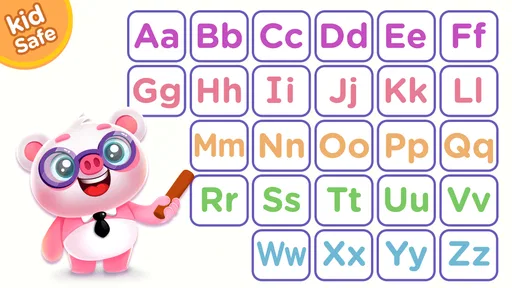
The app is built around tracing, phonics, and spelling practice for early learners. Its store summary describes activities for toddlers, preschoolers, and kindergarten children, and the short description identifies it as an ABC game. Those aims make it easiest to judge as a first-step alphabet activity, rather than a broad learning platform for children who already read independently.
Worth Reading Before You Choose

EA SPORTS FC Mobile 26 Is a Bigger Football Game, but It Takes Time

Flipboard Shows What News Apps Must Do Beyond the Feed

Switching to Android Auto Means Rethinking Your Driving Routine

Google Calendar Makes a Crowded Week Easier to Manage

Ludo King Makes the Most of the Minutes Between Plans

Baby Panda World Brings Quick Play to Modern Phones, but Its Game Library Feels Busy
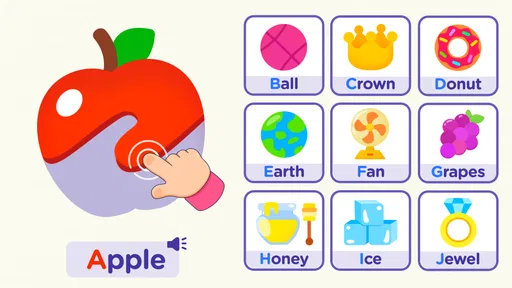
Repetition is a natural part of learning letter shapes and sounds, and it can also be the point at which a child gets restless. I would follow the child’s attention rather than insist on completing a long session. If a sound is repeated, an adult can make the practice more interactive by asking the child to find an object that begins with it. That adds a spoken, real-world connection without needing to turn the game into a lesson plan.
It is also worth being clear about the difference between recognizing a letter and being ready to spell words. A child might enjoy tracing and hearing sounds without yet understanding how sounds blend together. The game’s stated focus makes it a reasonable starting point, but parents should avoid assuming that time in the app by itself means a child has mastered early reading. Listening, talking, shared books, and pencil practice all have their own roles.
Choosing it for your child
I’d use this section to decide whether tracing is a good match for your child’s current stage, rather than relying on age alone. Notice whether they enjoy following a letter shape and pausing to connect it with a sound; that response can help you choose between a brief shared session and a different activity, such as drawing the same letter on paper.
Where it fits among other options
Compared with alphabet videos, this kind of activity asks a child to take a turn rather than only watch. Compared with paper worksheets, it can make practice feel more playful and can pair letter shapes with sound. Neither alternative is automatically better: a video may suit a child who needs a calm introduction, while paper is more useful for developing control with a writing tool. I would choose based on what the child needs that day, and alternate formats instead of expecting one app to cover everything.
For families deciding between this and a general preschool learning app, the narrower alphabet focus can be a benefit if letters are the current goal. A broader app may make more sense when a child wants variety across several subjects. On the other hand, children who already know their letters and are ready for richer reading material may find this level of practice too basic. The right fit depends less on age alone than on what the child is ready to work on and whether they enjoy tracing.
Practical trade-offs for parents
The game is free to download, with in-app purchases ranging from $1.49 to $59.99 per item. I would check the purchase options before handing the device to a child, especially if the child is accustomed to tapping every colorful prompt. A parent can also agree on a simple rule beforehand: the session is for the chosen activity, and any purchase decision belongs to an adult. That avoids turning a learning moment into an unexpected shopping conversation.
The game is rated Everyone, and the listed minimum operating system is version 7.0. It has an average rating of 4.4 from around 3,500 ratings, with over 5 million installs. Those figures suggest that many families have tried it, but they do not tell me whether its teaching style will suit a particular child. I would pay more attention to whether the child can follow the activity comfortably and whether the practice stays enjoyable after the novelty wears off.
One useful way to assess fit is to watch the child rather than judge only by how long they stay engaged. Do they attempt the letter shape, listen to the sound, and return to the activity willingly? Or are they tapping quickly just to reach the next reward? If the second pattern takes over, I would shorten the session and sit alongside them, or switch to a physical activity. Rewards can encourage a first try, but they are not the same as understanding.
Who is most likely to benefit
I would consider it for a toddler or preschooler beginning to notice letters, a kindergartener who enjoys tracing, or a parent looking for a compact activity to share with a child. The strongest fit is a learner who responds to immediate, hands-on practice and can benefit from hearing sounds while looking at letter forms. An adult’s occasional participation can help turn each round into conversation, especially for a child who is still developing attention or confidence.
I would skip it, or use it only briefly, for a child who already reads comfortably and wants more challenging stories or word-building tasks. It may also be a poor match for a child who dislikes touch-screen tracing or becomes upset when a digital activity does not feel like drawing on paper. In those cases, letter magnets, shared reading, or a pencil-and-paper activity may be more satisfying. There is no need to push a format just because it is educational.
Details worth knowing before you start
ABC Games: Tracing & Phonics was released on March 29, 2023, and its current version is 3.1. I would keep the device’s operating system in mind when checking compatibility, and make sure the game is ready before a child begins a session. A little preparation—opening the activity and choosing a suitable moment—can reduce interruptions and help the child focus on the letters rather than on the device.
A common parent question is whether it is better for independent play or shared practice. I would begin together, because a young learner may need help understanding what to do and encouragement to connect a sound with a letter. Once the child can manage the activity comfortably, a short independent turn may be fine, with an adult nearby. The balance will vary: some children like demonstrating what they can do, while others need a little prompting to slow down and trace carefully.
Another practical question is whether it can replace handwriting practice. I would not use it that way. Tracing with a finger can introduce a shape, but pencil grip and control develop through physical drawing and writing. A simple routine can combine both: try a letter in the game, then draw it on paper or find it in a picture book. That transfer is a useful check on whether the child recognizes the shape beyond the screen.
My take after weighing the fit
Piggy Panda Inc has made an educational game with a clear early-literacy purpose, and the tracing focus gives families a concrete way to make alphabet practice interactive. I like the idea of pairing a child’s movement with attention to letter sounds, particularly when a parent uses the activity as a prompt for conversation. I would keep sessions short, stay realistic about what screen tracing teaches, and mix it with books and real writing materials.
For a young beginner who enjoys touch-screen activities, this is a reasonable free starting point, provided an adult keeps an eye on in-app purchases and chooses an age-appropriate routine. For a child who needs advanced reading work, prefers hands-on materials, or becomes fixated on rewards, a different activity may be a better choice. My recommendation is conditional but positive: use it as one small, guided part of learning letters, and let the child’s response determine whether it earns a regular place in the routine.
Getting Started with ABC Games
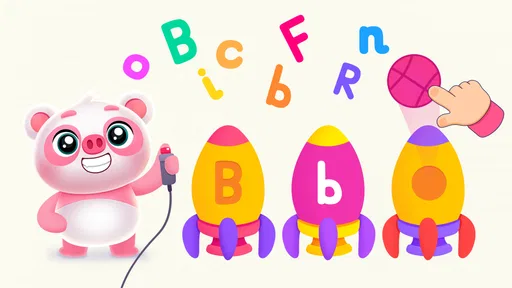
First things first, downloading ABC Games: Tracing & Phonics is a breeze. Available on both Android and iOS, you can find it in the app stores without breaking a sweat. Once installed, the app greets you with a vibrant, kid-friendly interface that immediately grabs attention. The colors are bright, and the animations are smooth. It's obvious the developers had kids in mind when designing this app.
Interactive Learning Experience
What really stands out about ABC Games is its interactive learning approach. The app is designed to teach kids the alphabet through a series of tracing exercises and phonics. As a parent, you’ll appreciate how it combines fun with education. Kids trace letters with their fingers, and the app provides immediate feedback, which is a fantastic way to reinforce learning.
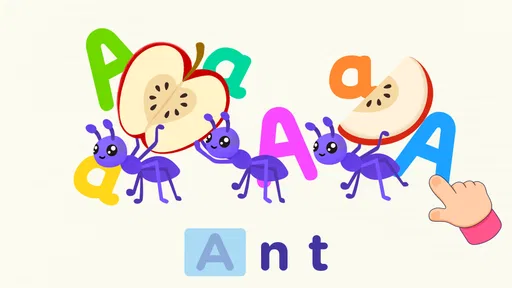
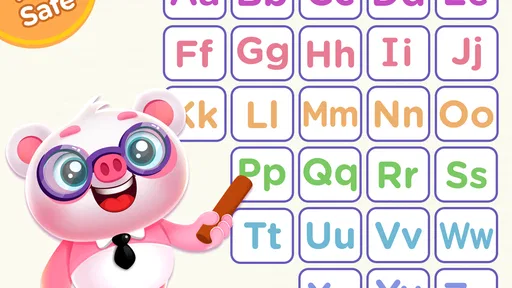
The phonics aspect is equally impressive. The app pronounces each letter and associated sounds clearly, helping kids to not only recognize letters but also understand their sounds. This dual approach is great for building foundational reading skills.
Engagement and Progression
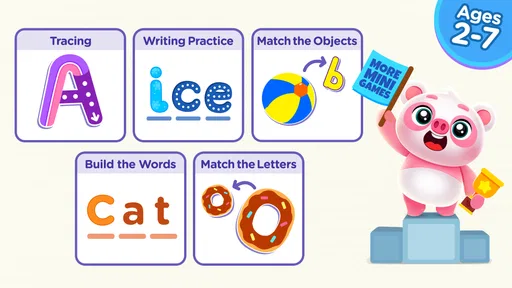
One thing I noticed was how well the app keeps kids engaged. It includes various mini-games and rewards that motivate kids to keep playing. As they progress, they earn stars and stickers, which can be a huge incentive for little ones. It’s like watching them light up every time they achieve a new milestone.
The app conveniently tracks progress, allowing parents to monitor how their child is doing. This feature is particularly useful if you want to see which letters your child has mastered and which ones might need a bit more practice.
User-Friendly for Parents
From a parent's perspective, the app is incredibly user-friendly. The settings are straightforward, so you can easily customize the experience to suit your child’s learning pace. Plus, it doesn’t bombard you with ads, which is a huge plus in my book. The focus remains on learning and fun, without unnecessary distractions.
Safe and Secure
Safety is always a top concern when it comes to kids' apps. Fortunately, ABC Games has no need for an internet connection once downloaded, keeping your child’s play secure and private. It also means you can hand over your device during car rides or while waiting at the doctor’s office without worrying about connectivity issues.
Room for Improvement
While the app is pretty stellar, there’s always room for improvement. Occasionally, the voiceovers can be a bit repetitive. However, considering how kids learn through repetition, this might actually be a positive aspect for younger users. Additionally, expanding the library of words and sounds could enhance the app’s educational value even further.
Final Thoughts
All in all, this tracing-and-phonics game is a solid choice for parents looking to give their kids a head start in reading. It’s entertaining, educational, and easy to use. So, if you’re ready to make screen time more meaningful, this app is definitely worth considering. Happy tracing!
Pros
- Engaging and colorful interface for kids.
- Includes a wide variety of tracing exercises.
- Phonics lessons are clear and interactive.
- Offline access for learning on the go.
- Progress tracking for parents to monitor.
Cons
- Limited customization for advanced users.
- In-app purchases may disrupt experience.
- Ads can be distracting for young children.
- Requires internet for some features.
- Some exercises can be repetitive.
FAQs for ABC Games: Tracing & phonics
What age group is ABC Games: Tracing & Phonics suitable for?
ABC Games: Tracing & Phonics is designed for young children, typically aged 3-7 years. It focuses on early literacy skills, such as letter recognition, phonics, and basic word construction. The app offers engaging and interactive activities tailored to this age group, making it ideal for preschoolers and early elementary students.
Does ABC Games: Tracing & Phonics require an internet connection?
No, ABC Games: Tracing & Phonics does not require an internet connection to access its core features. This makes it convenient for use in various settings, such as during travel or in areas with limited connectivity. However, an internet connection might be needed for updates or accessing additional content.
Are there in-app purchases in ABC Games: Tracing & Phonics?
Yes, ABC Games: Tracing & Phonics offers in-app purchases. These purchases typically include additional content, such as more levels, themes, or customization options. It's important for parents to be aware of these options and manage them accordingly to ensure a safe and controlled experience for their children.
Is ABC Games: Tracing & Phonics available on both Android and iOS?
Yes, ABC Games: Tracing & Phonics is available on both Android and iOS platforms. Users can download the app from the Google Play Store for Android devices and the Apple App Store for iOS devices. This cross-platform availability ensures accessibility for a wider audience of young learners.
Does ABC Games: Tracing & Phonics support multiple languages?
Currently, ABC Games: Tracing & Phonics primarily supports English. However, the app developers are continually working on expanding language options to cater to a broader audience. Users should check for updates or additional language packs that might be introduced in future versions.


